Looking for the perfect balance between high-performance gaming and an affordable price tag? The 1440p 144Hz monitor has become the gold standard for gamers who want a significant visual upgrade from 1080p without the extreme cost of 4K high-refresh-rate panels. This resolution offers a stunning increase in pixel density for sharper images, while the 144Hz refresh rate delivers the buttery-smooth motion crucial for competitive play. With so many options on the market, finding the right one for your setup can be a challenge.
Our 2025 roundup is designed to cut through the noise and highlight the best budget-friendly 1440p 144Hz monitors that deliver exceptional value. We’ve compiled a list of top contenders from trusted brands, focusing on key features like panel technology, adaptive sync compatibility, and color performance. Whether you prioritize the color accuracy of an IPS panel or the immersive curve of a VA display, there’s a monitor here to elevate your gaming experience without breaking the bank.
Our Top Picks for Budget 1440p 144Hz Gaming Monitors
- Acer Nitro XV272U Pbmiiprzx 27″ WQHD IPS G-SYNC Monitor
- AOC CQ27G2 27″ Super Curved Frameless Gaming Monitor
- SAMSUNG 32” Odyssey G5 Gaming Monitor, WQHD, 144Hz
- Deco Gear 27-Inch 2560×1440 144Hz Curved Gaming Monitor
- VIOTEK GFV27DAB 27” 165Hz QHD 1440p Gaming Monitor
- Monoprice Zero-G 27 Inches Curved Gaming Monitor
- MSI G27CQ4, 27″ Gaming Monitor, QHD, 165Hz, FreeSync
- Acer XF270HU Cbmiiprx 27” WQHD TN AMD FreeSync Monitor
- Pixio PX277 Prime Neo 27 inch 180Hz Fast IPS Monitor
- Acer Nitro XV272U Vbmiiprx 27″ WQHD 170Hz IPS Monitor
Acer Nitro XV272U Pbmiiprzx 27″ WQHD IPS G-SYNC Monitor
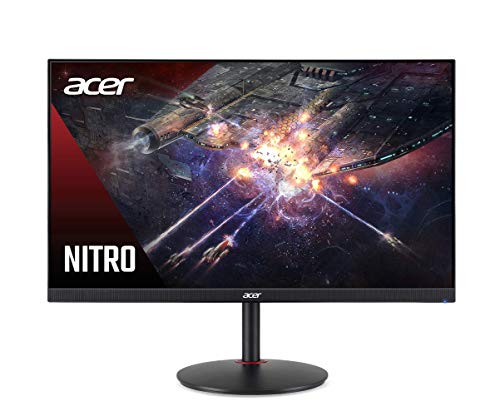
The Acer Nitro XV272U is a standout choice for gamers seeking excellent color accuracy and smooth performance. Its 27-inch IPS panel delivers vibrant colors and wide 178-degree viewing angles, ensuring your game looks great from any position. With support for AMD FreeSync and NVIDIA G-SYNC compatibility, screen tearing and stuttering are effectively eliminated for a seamless gaming experience.
This monitor is VESA Certified DisplayHDR400 capable, providing improved contrast and brighter highlights. A 144Hz refresh rate combined with a 1ms Visual Response Boost (VRB) ensures fast-paced action remains clear and blur-free. The combination of a high color gamut (DCI-P3) and a Delta E<2 rating means colors are not only rich but also highly accurate, making it a solid option for both gaming and content creation.
AOC CQ27G2 27″ Super Curved Frameless Gaming Monitor

Immerse yourself in your gaming world with the AOC CQ27G2 and its 1500R super curved VA panel. This curvature wraps around your field of vision, pulling you directly into the action and reducing eye strain during long sessions. The frameless design further enhances this immersive feel, making it an excellent choice for multi-monitor setups.
Beyond the curve, this monitor boasts a 144Hz refresh rate and 1ms response time for smooth, fluid gameplay. It covers over 120% of the sRGB color gamut, producing vibrant and brilliant colors that make game worlds pop. The stand is fully height-adjustable, allowing you to find the perfect viewing angle for maximum comfort.
SAMSUNG 32” Odyssey G5 Gaming Monitor
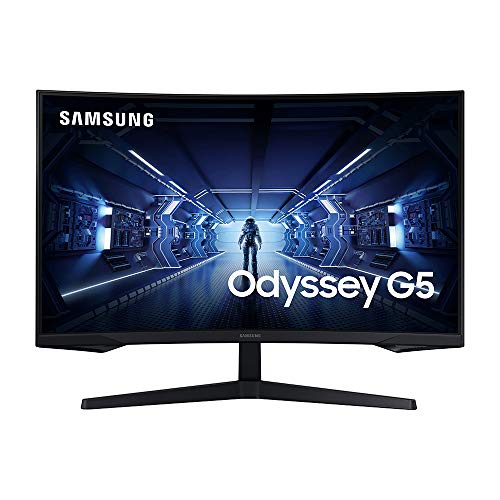
For gamers who want a larger screen, the Samsung Odyssey G5 offers a compelling 32-inch display with a pronounced 1000R curve. This level of curvature is designed to match the human eye, offering a deeply immersive experience that minimizes peripheral distraction and eye strain. The WQHD resolution ensures that the larger screen size doesn’t sacrifice sharpness, providing 1.7 times the pixel density of Full HD.
The Odyssey G5 features a 144Hz refresh rate, allowing you to react instantly to in-game events with minimal motion blur. AMD FreeSync Premium support keeps gameplay smooth by synchronizing the monitor’s refresh rate with your graphics card’s frame rate. With HDR10 support, you get a wider range of color and contrast, adding depth and realism to compatible games.
Deco Gear 27-Inch 2560×1440 144Hz Curved Gaming Monitor

The Deco Gear curved gaming monitor brings high-end specs to a very accessible price point. Its 1500R curved VA panel is designed for immersion, drawing you into the game world. With 99% sRGB color accuracy, this monitor is capable of reproducing 16.7 million colors faithfully, making it suitable for both gaming and creative tasks where color matching is important.
Gamers will appreciate the 144Hz refresh rate and 4ms response time, which help to reduce ghosting and keep fast-moving scenes legible. The monitor is also HDR400 ready, which can enhance the dynamic range of supported content. Features like low blue light emissions and adjustable color temperatures are included to help reduce eye fatigue during extended use.
VIOTEK GFV27DAB 27” 165Hz QHD 1440p Gaming Monitor
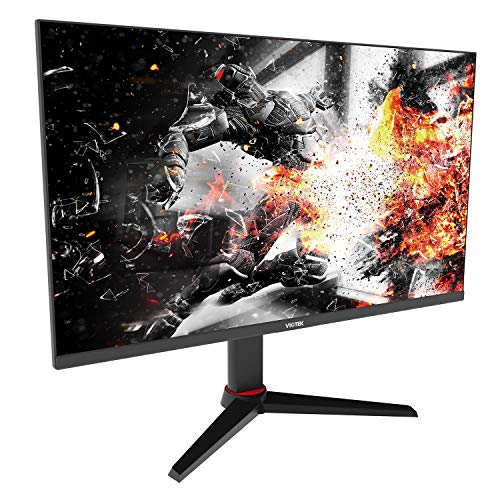
The VIOTEK GFV27DAB hits what many consider the “sweet spot” for gaming monitors with its 27-inch 1440p panel and 165Hz refresh rate. This combination provides a noticeable boost in smoothness over 144Hz, giving you an extra edge in competitive titles. The vibrant QHD resolution ensures games are sharp and detailed, while the 99% sRGB gamut delivers rich and accurate colors.
This monitor comes packed with gamer-centric features, including Adaptive Sync with Low Framerate Compensation (LFC) for tear-free gameplay at any framerate. It also includes GAMEPLUS crosshair overlays for improved aiming and optimization modes for FPS and RTS games. The fully adjustable stand even allows for portrait rotation, adding to its versatility.
Monoprice Zero-G 27 Inches Curved Gaming Monitor

Monoprice is known for offering great value, and the Zero-G 27-inch curved monitor is no exception. It utilizes a VA panel, which is renowned for producing deep blacks and high contrast ratios, making dark scenes in games easier to see. The 1500R curve enhances immersion, making you feel surrounded by the game.
With a 144Hz refresh rate and QHD resolution, this monitor provides a smooth and detailed visual experience. The inclusion of Adaptive Sync technology is key for budget-conscious gamers, as it ensures smooth performance without screen tearing, even if your frame rate fluctuates. It’s a no-frills monitor that focuses on delivering core gaming performance at an attractive price.
MSI G27CQ4, 27″ Gaming Monitor, QHD, 165Hz, FreeSync

The MSI G27CQ4 is a curved gaming monitor that balances speed and image quality effectively. Its 1500R curved VA panel provides an immersive viewing experience that is comfortable for long gaming marathons. The QHD resolution ensures that games look crisp and detailed, allowing you to spot enemies and appreciate environments with clarity.
This monitor pushes the refresh rate to 165Hz, offering slightly smoother motion than standard 144Hz panels. It also boasts impressive color coverage with 90% DCI-P3 and 115% sRGB, resulting in vibrant and lifelike visuals. While the stand offers tilt adjustment, its performance-focused features make it a strong contender for gamers who prioritize visual fluidity.
Acer XF270HU Cbmiiprx 27” WQHD TN AMD FreeSync Monitor
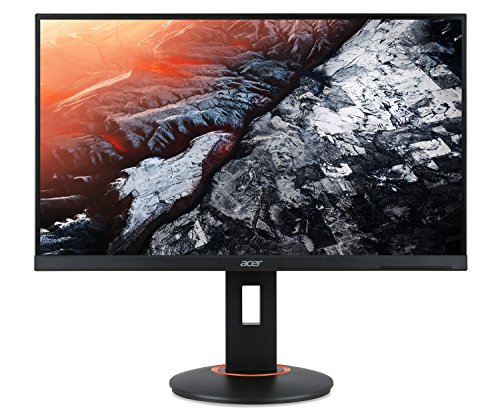
For competitive gamers where every millisecond counts, the Acer XF270HU features a TN panel renowned for its speed. With a true 1ms Gray-to-Gray (GtG) response time, this monitor minimizes ghosting and motion blur to an absolute minimum. The 144Hz refresh rate works in tandem with AMD FreeSync to deliver exceptionally smooth and responsive gameplay.
While TN panels traditionally have narrower viewing angles and less vibrant colors than IPS or VA alternatives, they are the go-to choice for esports enthusiasts who prioritize raw performance over color fidelity. This model delivers a sharp 1440p image and the high refresh rate needed to stay competitive in fast-paced titles.
Pixio PX277 Prime Neo 27 inch 180Hz Fast IPS Monitor

The Pixio PX277 Prime Neo stands out with its high 180Hz refresh rate, offering some of the smoothest motion available in the budget segment. This is powered by a Fast IPS panel, which combines the vibrant colors and wide viewing angles of traditional IPS technology with response times fast enough to satisfy competitive gamers.
With a 1ms GTG response time, this monitor effectively eliminates ghosting and blurring, providing a clear advantage in reaction-based games. The QHD resolution ensures everything looks pin-sharp. It’s an ideal choice for gamers who refuse to compromise between excellent color performance and top-tier motion clarity.
Acer Nitro XV272U Vbmiiprx 27″ WQHD 170Hz IPS Monitor
This model from Acer’s Nitro series is a refined version of our first pick, pushing the refresh rate even higher to 170Hz. The IPS panel ensures consistent, accurate colors and wide viewing angles, making it a versatile display for both gaming and multimedia consumption. The increased refresh rate provides an even smoother visual experience, which can be beneficial in fast-paced competitive games.
Like its sibling, it supports AMD FreeSync and is likely G-SYNC compatible, ensuring smooth, tear-free gameplay across a wide range of frame rates. The combination of high refresh rate, fast response time, and IPS color quality makes this monitor a fantastic all-arounder for the budget-conscious gamer looking for a performance boost.
What to Look For in a Budget 1440p 144Hz Gaming Monitor
Finding a good budget 1440p 144hz monitor for gaming in 2025 means knowing where to compromise without giving up the experience. The “budget” tag means you won’t get all the high-end features, but the core specs are what matter. Here’s my guide on what to prioritize.
First, let’s talk about the panel technology. You’ll mostly find IPS and VA panels in this price range. IPS panels are my usual go-to because they offer the best color accuracy and viewing angles, which is great for both gaming and general use. The trade-off can be a slightly lower contrast ratio, meaning blacks aren’t as deep as on a VA panel. VA panels, on the other hand, have much better contrast for darker, more immersive scenes, but they can suffer from slower pixel response times, leading to more motion blur or “black smearing” in fast-paced games. It’s a choice between vibrant colors and wide viewing angles (IPS) or deep blacks and high contrast (VA).
Next, check the refresh rate and adaptive sync. The whole point is that 144Hz refresh rate, which makes everything incredibly smooth. But to really benefit, you need a technology like AMD FreeSync or NVIDIA G-Sync Compatible. These sync your monitor’s refresh rate with your graphics card’s output, eliminating screen tearing and stuttering without a noticeable performance hit. Most budget monitors are FreeSync, but the vast majority are also validated as G-Sync Compatible, which is a huge bonus for NVIDIA GPU users. Just double-check the product specifications to be sure.
Response time is another spec that gets a lot of attention. A 1ms response time sounds great, but often that’s a “MPRT” (Moving Picture Response Time) figure, which is a simulated result and can use aggressive backlight strobing that some find uncomfortable. A “GTG” (Grey-to-Grey) response time is a more traditional measurement. On a budget, a 1ms MPRT or 4ms GTG is perfectly fine for most gamers. Don’t get too hung up on the absolute lowest number; real-world performance is what counts.
Finally, don’t forget the physical design and connectivity. A monitor with a fully adjustable stand (height, tilt, swivel, and pivot) is a luxury in the budget space, but it’s a feature I value highly for long-term comfort. If the stand is basic, check for a VESA mount pattern on the back so you can attach it to your own monitor arm later. For ports, you want at least one DisplayPort 1.4 to handle 1440p at 144Hz without compression. HDMI 2.0 is also common, but it might limit you to a lower refresh rate at 1440p, so DisplayPort is your best bet.
FAQ
Is a budget 1440p 144Hz monitor good for competitive gaming?
Yes, absolutely. While pro-level esports players might opt for 240Hz or higher, a 144Hz refresh rate is a massive improvement over 60Hz and provides a very real advantage in reaction times and target tracking. The combination of high resolution and high refresh rate offers a fantastic balance for both competitive shooters and visually rich single-player games. You get smooth motion for fast action while still enjoying sharp, detailed graphics.
What graphics card do I need to run a 1440p 144Hz monitor?
To actually take full advantage of a 1440p 144Hz display, you’ll need a reasonably powerful GPU. I would look at cards like the NVIDIA RTX 4060 Ti or the AMD Radeon RX 7700 XT as a starting point. In less demanding esports titles like Valorant or CS:GO, you can easily hit high frame rates. For more graphically intensive AAA games, you may not consistently hit 144 fps, but that’s where the adaptive sync (FreeSync/G-Sync) technology comes in, making the experience smooth even if your frame rate fluctuates.
What is the difference between curved and flat panels for gaming?
This is mostly a matter of personal preference. Curved monitors are almost exclusively VA panels in the budget category. The curve is meant to provide a more immersive experience by filling more of your peripheral vision. I find it works well for single-player, story-driven games. For competitive gaming, however, many players, including myself, prefer a flat IPS panel for its consistent image from edge to edge and lack of potential distortion, which can be critical for precise aim.
Are there any downsides to buying a budget model?
The main compromises you’ll find in the budget segment are in the build quality and extra features. The stands are often basic with limited adjustability. The monitors might use older panel revisions, which can lead to more variance in quality control, like backlight bleed on IPS panels. You also typically won’t get fancy extras like USB hubs, high-quality built-in speakers, or elaborate RGB lighting. The focus is purely on delivering the core gaming performance of 1440p and 144Hz.
Is HDR worth it on a budget 1440p 144hz monitor?
In my experience, not really. True, high-quality HDR requires a panel with high peak brightness and full-array local dimming, which are far too expensive for the budget market. Most budget monitors that claim “HDR” support, like HDR400, only accept an HDR signal but cannot display it properly. The result is often a washed-out image that looks worse than standard dynamic range (SDR). I recommend turning HDR off on these monitors and just enjoying the great SDR picture quality.