In the fast-paced world of computing, a high-performance Solid State Drive (SSD) is no longer a luxury but a necessity. Whether you’re a gamer facing down long load times, a creative professional working with massive files, or simply someone who values a responsive system, the right SSD can make a world of difference. The market, however, is filled with numerous brands and models, making the choice overwhelming.
This roundup cuts through the noise to present the ten best SSD brands and their flagship products for 2025. We have evaluated drives based on their sequential read/write speeds, endurance, power efficiency, and unique features to help you find the perfect storage upgrade for your needs, from cutting-edge PCIe Gen5 to the highly popular and capable PCIe Gen4 standard.
The Best SSD Brands and Drives for 2025
- SK hynix Platinum P41 2TB PCIe NVMe Gen4 M.2 SSD
- SAMSUNG 990 PRO SSD 2TB NVMe M.2 PCIe Gen4
- WD_BLACK 2TB SN850X NVMe Internal Gaming SSD
- Crucial P5 Plus 2 TB Solid State Drive
- Seagate FireCuda 540 SSD 2TB Internal Solid State Drive
- SABRENT 2TB Rocket 4 Plus NVMe 4.0 Gen4 PCIe M.2 SSD
- Kingston NV3 2TB M.2 2280 NVMe SSD
- XPG 2TB GAMMIX S70 Blade – Works with Playstation 5
- Corsair MP600 PRO LPX 2TB M.2 NVMe PCIe x4 Gen4 SSD
- SK Hynix Platinum P41 2TB M.2 NVMe SSD
SK hynix Platinum P41 2TB PCIe NVMe Gen4 M.2 SSD

The SK hynix Platinum P41 stands as a testament to what a vertically integrated manufacturer can achieve. It delivers exceptional top-tier performance with read speeds up to 7,000 MB/s and write speeds up to 6,500 MB/s, thanks to its proprietary HYPERWRITE cache technology. This makes it a formidable choice for demanding applications and gaming.
Beyond raw speed, the P41 is engineered for pioneering power efficiency, which helps maintain system stability and can be particularly beneficial for laptop users. Its build quality is backed by rigorous testing, including 1,000 hours of HTOL stress testing, a 1.5 million hour MTBF rating, and a robust 1,200 TBW endurance, all protected by a 5-year warranty for long-term reliability.
SAMSUNG 990 PRO SSD 2TB NVMe M.2 PCIe Gen4

Samsung, a leader in flash memory, pushes the PCIe 4.0 interface to its limits with the 990 PRO. It boasts incredible sequential read speeds up to 7,450 MB/s and write speeds up to 6,900 MB/s, positioning it as one of the fastest Gen4 drives available. This drive is built for high-end computing, gaming, and heavy-duty workstations where every second counts.
The 990 PRO offers a more than 55% improvement in random performance compared to its predecessor, the 980 PRO. This translates to significantly faster loading times and smoother operation in I/O-intensive tasks. With its reputation for quality and performance, the Samsung 990 PRO is a premium choice for users who refuse to compromise on speed.
WD_BLACK 2TB SN850X NVMe Internal Gaming SSD

Designed with gamers in mind, the WD_BLACK SN850X is a powerhouse that delivers top-tier performance with sequential read speeds up to 7,300 MB/s. This results in ridiculously short load times, letting you get into the action faster. With capacities available up to 8TB, you have ample room for an extensive game library without constantly managing storage space.
Western Digital equips the SN850X with high-quality TLC 3D NAND for reliable performance. For users pushing their systems to the limit during marathon gaming sessions, an optional heatsink version is available to help maintain peak performance by effectively managing thermals and preventing throttling.
Crucial P5 Plus 2 TB Solid State Drive
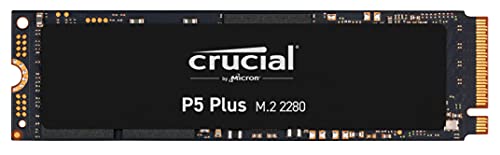
The Crucial P5 Plus offers a compelling blend of performance and reliability from a trusted brand in the memory market. It provides a fast and dependable storage solution, ensuring quick access to your data across a wide range of computing tasks. Its non-volatile memory design guarantees your data remains safe even when the drive is powered off.
With a 2TB capacity, this drive provides plenty of space to store a vast collection of documents, photos, videos, and applications. The Crucial P5 Plus stands as a solid, well-rounded PCIe Gen4 NVMe option for users seeking a noticeable upgrade from SATA or older NVMe drives without venturing into the premium price tier.
Seagate FireCuda 540 SSD 2TB Internal Solid State Drive

Stepping into the next generation, the Seagate FireCuda 540 is a PCIe Gen5 SSD that offers staggering speeds of up to 10,000 MB/s. This represents a significant performance jump, being approximately 50% faster than the best PCIe Gen4 NVMe SSDs available. It is built for users with the latest hardware who demand maximum throughput.
This drive is not just about speed; it is also built for extreme endurance. With a massive 2000TB TBW (TeraBytes Written) rating, it is designed to handle intensive workloads, allowing you to rewrite large amounts of data daily over its lifespan. Seagate also includes Rescue Data Recovery Services for added peace of mind.
SABRENT 2TB Rocket 4 Plus NVMe 4.0 Gen4 PCIe M.2 SSD
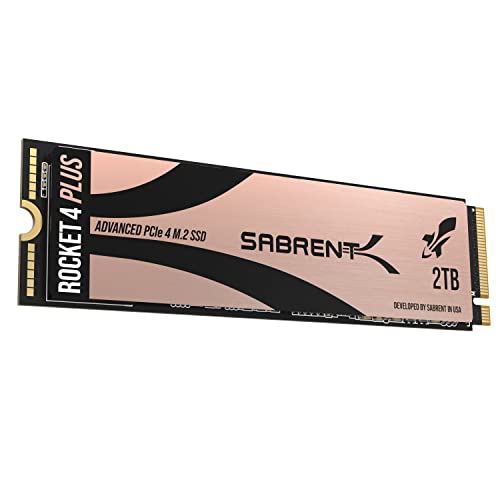
The SABRENT Rocket 4 Plus is a high-performance contender in the Gen4 space, delivering blazing-fast read speeds up to 7,100 MB/s and write speeds up to 6,600 MB/s. This level of performance is ideal for demanding scenarios like high-resolution video editing, 3D rendering, and gaming, where fast data access is critical.
It utilizes a next-gen NVMe 1.4 interface on a PCIe Gen4 x4 lane for maximum throughput and low latency. Built with high-endurance TLC NAND, the Rocket 4 Plus is engineered for long-term stability and consistent write speeds even under sustained heavy loads. It is also confirmed to be compatible with the PlayStation 5.
Kingston NV3 2TB M.2 2280 NVMe SSD

The Kingston NV3 serves as an excellent entry-point into the PCIe 4.0 ecosystem, offering a balance of speed, capacity, and value. With sequential read speeds up to 6,000 MB/s, it provides a substantial performance boost over PCIe 3.0 and SATA SSDs, making it a smart upgrade for general computing and gaming.
This drive is designed for high-speed, low-power storage, which can be beneficial for both desktop and laptop systems. With capacities available up to 4TB, the Kingston NV3 offers a practical and cost-effective solution for users needing to expand their storage without sacrificing modern performance standards.
XPG 2TB GAMMIX S70 Blade

The XPG GAMMIX S70 Blade is a performance-driven SSD that boasts impressive sequential read speeds up to 7,400 MB/s and write speeds up to 6,800 MB/s on a compatible PC. This makes it a strong competitor for gaming rigs and workstations, providing quick file transfers and reduced application load times.
A key feature of this drive is its official compatibility with the PlayStation 5 console. When installed in a PS5, it delivers a sequential read speed measured at 6,100 MB/s, easily exceeding Sony’s requirements for expandable storage. This dual-purpose capability makes it a versatile choice for both PC and console gamers.
Corsair MP600 PRO LPX 2TB M.2 NVMe PCIe x4 Gen4 SSD
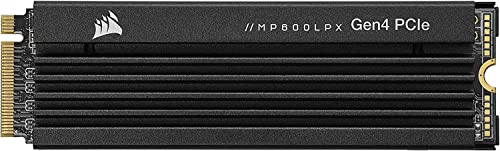
The Corsair MP600 PRO LPX is specifically optimized for the PlayStation 5, delivering extreme Gen4 storage performance with sequential read speeds up to 7,100 MB/s. It comes with a pre-installed, low-profile heatsink that fits perfectly within the PS5’s expansion bay, ensuring optimal thermal performance without any compatibility issues.
Using a high-speed PCIe Gen4 x4 M.2 NVMe 1.4 interface, this drive provides the bandwidth necessary for fast gaming experiences. Available in capacities up to 4TB, the MP600 PRO LPX offers a reliable and high-performance solution for gamers looking to significantly expand their PS5’s storage to hold a vast library of titles.
SK Hynix Platinum P41 2TB M.2 NVMe SSD
As a repeated entry from a top-tier manufacturer, the SK hynix Platinum P41 deserves a second look for its exceptional all-around capabilities. It combines leading-edge performance with remarkable power efficiency, a trait that is often overlooked but crucial for battery life in laptops and overall system energy consumption.
The drive’s reliability is a major selling point, backed by extensive validation testing and a strong 5-year warranty. For users seeking a high-performance SSD that excels in both speed and efficiency, the SK hynix Platinum P41 remains a premier choice that competes directly with the best in the market.
Buying Guide: What to Look For in the Best SSD Brands
When I’m looking for a new SSD, the sheer number of brands and models can feel overwhelming. It’s not just about picking the biggest name; it’s about finding the right drive for my specific needs and budget. Over the years, I’ve learned that focusing on a few key factors makes the decision much clearer and helps me avoid buyer’s remorse.
First, I always consider the form factor and interface. For modern laptops and compact desktops, the M.2 NVMe drive is the way to go. It’s a tiny stick that plugs directly into the motherboard, offering blistering speeds. For older systems or as a secondary storage drive, the classic 2.5-inch SATA SSD is a reliable and affordable workhorse. It’s much faster than a hard drive but doesn’t reach the same peak speeds as NVMe. I make sure my motherboard has the correct slot (usually an M.2 slot for NVMe) before I buy.
Next, I look at performance metrics, specifically sequential read/write speeds and IOPS (Input/Output Operations Per Second). Sequential speeds, measured in MB/s, tell me how fast I can transfer large files like videos or game installations. IOPS are more about how quickly the drive can handle small, random file operations, which directly impacts how snappy my operating system and applications feel. For a boot drive, high IOPS are crucial. For a drive dedicated to my video library, high sequential writes are more important.
Endurance and warranty are two sides of the same coin and something I never ignore. Endurance is expressed as Terabytes Written (TBW), which is the total amount of data you can write to the drive over its lifetime. A higher TBW rating means a longer-lasting drive. I pair this with the length of the warranty. A brand that offers a 5-year warranty on a drive with a high TBW is showing confidence in its product. This is a strong sign of reliability.
Finally, I think about the NAND flash type and DRAM cache. Drives with QLC (Quad-Level Cell) NAND are cheaper and have higher capacities but can be slower, especially as they fill up. TLC (Triple-Level Cell) NAND offers a better balance of performance, endurance, and cost for most users. A DRAM cache acts as a quick lookup table for the drive, significantly boosting performance in many tasks. While DRAM-less SSDs are budget-friendly, I prefer a model with a dedicated DRAM cache for my primary drive to ensure consistent performance. By weighing these factors—form factor, performance, endurance, and internal components—I can confidently narrow down the list of the 10 best SSD brands to find the perfect fit for my rig.
FAQ
What is the most reliable SSD brand in 2025?
Reliability isn’t about a single “best” brand, but rather a combination of consistent performance, strong warranty policies, and high endurance ratings from the manufacturer. Brands like Samsung and Crucial (Micron) have built stellar reputations over many years by controlling their NAND flash and controller production, which leads to excellent quality control. Western Digital and SK Hynix are also top contenders known for their durable drives. When I look for reliability, I check the TBW rating and the length of the warranty—a 5-year warranty is a good benchmark for a quality drive.
Is a DRAM cache important for an SSD?
Yes, a DRAM cache can be very important, especially for your primary drive that holds your operating system. The DRAM acts as a super-fast map for where data is stored on the NAND flash. Without it, the drive has to search the slower NAND itself, which can lead to performance drops during heavy multitasking or when the drive is nearly full. For a secondary game drive or mass storage, a DRAM-less SSD can be a fine, cost-effective choice. But for your main boot drive, I strongly recommend spending a little extra for a model that includes a DRAM cache.
What’s the difference between SATA and NVMe SSDs?
The difference boils down to speed and physical connection. A SATA SSD connects via the same cable and interface as an old hard drive. It’s a massive upgrade from a hard drive, with speeds typically up to around 550 MB/s. An NVMe SSD, on the other hand, plugs directly into a special M.2 slot on your motherboard and uses the PCIe bus, much like a graphics card. This allows for vastly higher speeds, often exceeding 7,000 MB/s on modern models. For most general use and gaming, a SATA SSD is still great, but if you’re moving huge files or want the absolute fastest system responsiveness, NVMe is the clear winner.
How much storage capacity do I really need?
This depends entirely on your use case. For a budget-friendly boot drive just for your OS and essential programs, a 500GB SSD is a good starting point. For a primary drive for a gamer or content creator, I would not go below 1TB. Modern games can easily take up 100-200GB each. If you’re working with large video files or want a single drive for your entire system and media library, 2TB or even 4TB is worth the investment. My rule of thumb is to buy more than you think you’ll need, as it’s cheaper per gigabyte at higher capacities and you’ll thank yourself later.
Can I use an M.2 NVMe SSD on any motherboard?
Not necessarily. You need to check your motherboard’s specifications. Older motherboards may only have SATA ports. To use an M.2 NVMe drive, your motherboard must have an M.2 slot, and that slot must support the NVMe protocol. Some M.2 slots only support the slower SATA protocol. Furthermore, the slot must be connected via PCIe lanes from the CPU or chipset. I always check my motherboard’s manual or manufacturer’s website to confirm compatibility before purchasing one of the many 10 best SSD brands offering M.2 models.