Finding a monitor that delivers the color accuracy and resolution needed for photo editing without breaking the bank can feel like a challenge. You need a display that faithfully reproduces colors, offers sharp detail, and provides a comfortable viewing experience for long editing sessions. The good news is that the market is filled with excellent budget-friendly options that don’t compromise on the essential features photographers require.
This roundup focuses on monitors that excel in key areas for photo editing, such as high-resolution IPS panels for consistent color, wide color gamuts like sRGB and Adobe RGB, and ergonomic designs. We have compiled a list of ten standout models from trusted brands to help you find the perfect balance of performance and value for your creative workflow in 2025.
Our Top Picks for Budget Photo Editing Monitors
- Lenovo L28u-30 28-inch IPS Monitor, UHD 4K Display
- ViewSonic VP2756-2K 27 Inch IPS 1440p Ergonomic Monitor
- Philips 288E2E 28″ Frameless Monitor, 4K UHD 3840×2160 IPS
- Sceptre 4K IPS 27″ 3840 x 2160 UHD Monitor up to 70Hz
- AOC U2790VQ 27″ 4K 3840×2160 UHD Frameless Monitor, IPS
- LG 24MP88HV-S Neo Blade III Monitor 24″ FHD IPS Display
- Dell UltraSharp U2723QE 27″ 4K UHD WLED LCD Monitor
- ViewSonic VP2756-4K 27 Inch 4K UHD IPS Ergonomic Monitor
- Philips 27E1N5900R 27inch 4K UHD IPS Monitor, HDR 400
- ASUS ProArt Display PA278QV 27-Inch WQHD Monitor
Lenovo L28u-30 28-inch IPS Monitor
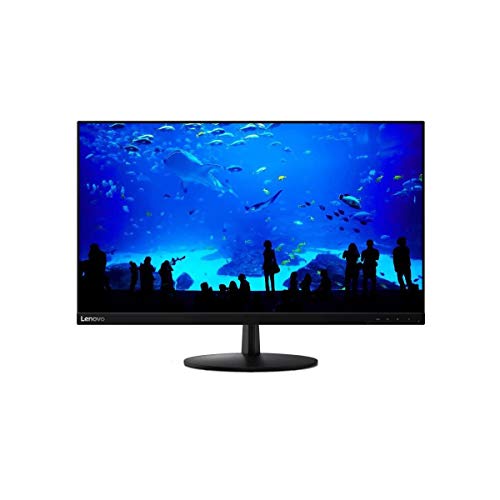
The Lenovo L28u-30 offers a spacious 28-inch canvas with a sharp 4K UHD resolution, providing ample screen real estate and incredible detail for pixel-perfect photo editing. Its IPS panel ensures consistent colors across a wide 178-degree viewing angle, so your edits look accurate from any position. This is crucial when you need to make precise adjustments to color and contrast.
For your comfort during long editing sessions, Lenovo includes Eyesafe Display Certification and Natural Low Blue Light technology to help minimize eye strain. The ultra-thin bezels contribute to a modern, multi-monitor setup, and features like AMD FreeSync and a 4ms response time add a layer of smoothness for any multimedia use beyond photography.
ViewSonic VP2756-2K 27 Inch IPS Monitor

Color accuracy is paramount for photographers, and the ViewSonic VP2756-2K delivers with its Pantone Validation, ensuring the colors you see on screen are true to life. The 27-inch QHD (1440p) resolution strikes a great balance between sharp detail and manageable performance demands on your computer. The ultra-thin bezels offer a clean, professional look that is ideal for a focused workspace.
This monitor is designed for productivity and comfort. Its advanced ergonomic stand allows for full adjustments in height, swivel, pivot, and tilt, so you can find the perfect viewing position. The inclusion of a 60W USB-C port is a significant benefit, simplifying your desk setup by allowing a single cable connection for video, data, and charging your laptop.
Philips 288E2E 28″ Frameless Monitor

With its 28-inch 4K UHD IPS 10-bit panel, the Philips 288E2E is capable of producing a smooth 1.07 billion colors, which is excellent for achieving subtle color gradations in your photographs. The wide 120% sRGB color gamut coverage ensures vibrant and life-like images, giving you a broad spectrum of colors to work with for both digital and print projects.
The frameless design not only looks modern but also minimizes distractions, letting you concentrate fully on your images. Features like AMD FreeSync and a 4ms response time contribute to a smooth visual experience. Furthermore, Philips supports your purchase with a 4-year advance replacement warranty, providing significant peace of mind.
Sceptre 4K IPS 27″ UHD Monitor

The Sceptre U275W-UPT brings 4K clarity to a very accessible price point. Its 3840 x 2160 resolution provides an extraordinary level of detail, contrast, and clarity, allowing you to see every pixel in your high-resolution photos. The IPS panel ensures that the top color performance and sharp visibility are maintained even when viewed from sharp angles.
Covering 99% of the sRGB color space, this monitor is well-suited for basic photo editing tasks and everyday use. The inclusion of built-in speakers and a refresh rate of up to 70Hz adds to its value as a versatile display for both work and casual entertainment, making it a solid all-around choice.
AOC U2790VQ 27″ 4K UHD Frameless Monitor
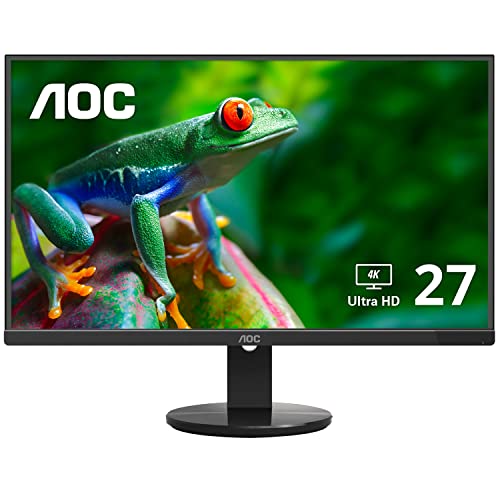
AOC’s U2790VQ is a compelling option for editors seeking a high-resolution 4K experience on a budget. The 27-inch IPS panel produces over 1 billion colors, resulting in rich, detailed images with smooth gradients. A wide 108% sRGB color gamut coverage helps ensure that your colors appear vibrant and accurate for web and social media projects.
The three-sided frameless design is not only aesthetically pleasing but also practical for creating a seamless multi-monitor setup with minimal bezel interruption. This design maximizes the screen area and helps you maintain focus on your editing canvas without visual distractions from the frame.
LG 24MP88HV-S Neo Blade III Monitor

If your workspace is limited or you prefer a more compact display, the LG 24MP88HV-S offers a 24-inch Full HD IPS panel that is more than capable for entry-level photo editing. Its key strength lies in its color accuracy, covering over 99% of the sRGB color space, which is essential for consistent color work.
The monitor features an ultra-slim 2.5mm bezel, giving it a sleek “Infinity Display” look that saves space and looks modern on any desk. LG’s On-Screen Control software with Screen Split 2.0 is a useful productivity tool, allowing you to easily divide your screen into multiple windows for efficient multitasking alongside your editing software.
Dell UltraSharp U2723QE 27″ 4K UHD Monitor

The Dell UltraSharp series is renowned for its quality, and the U2723QE continues this tradition with a brilliant 27-inch 4K display. With a 400 Nit brightness level, this monitor offers crisp, vibrant content with energetic hues, making your photos pop with clarity and life. The anti-glare screen coating is particularly useful for reducing reflections in brightly lit rooms.
This model is built for a professional workflow, featuring comprehensive connectivity options including HDMI inputs for easy connection to various devices. Dell’s attention to detail in color calibration and panel quality makes this UltraSharp a reliable and high-performing tool for serious photo editors who need dependable accuracy.
ViewSonic VP2756-4K 27 Inch 4K UHD Monitor

For those who need the utmost detail, the ViewSonic VP2756-4K provides a 27-inch 4K UHD resolution, offering incredibly sharp images for scrutinizing fine details in your photography. Like its QHD sibling, this monitor is Pantone Validated, guaranteeing professional-grade color accuracy right out of the box, which saves time on manual calibration.
The ergonomic stand is a major benefit, providing tilt, swivel, pivot, and height adjustments to achieve a comfortable and healthy posture during long editing marathons. The inclusion of a 60W USB-C port continues to be a standout feature, creating a clean and efficient workspace with minimal cable clutter.
Philips 27E1N5900R 27inch 4K UHD IPS Monitor
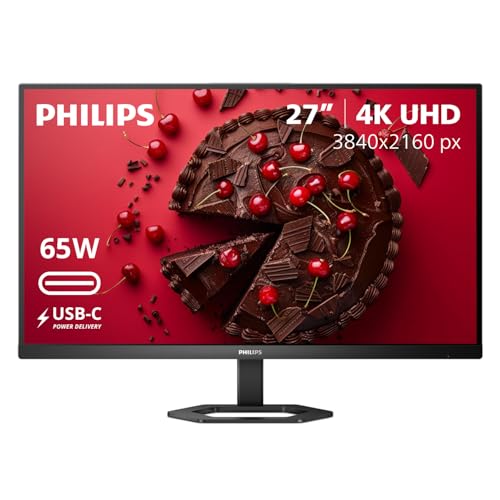
The Philips 27E1N5900R enhances the 4K editing experience with VESA-certified DisplayHDR 400 support. This technology provides brighter highlights, deeper blacks, and a wider range of colors for more lifelike and dynamic visuals, adding depth to your images when working with HDR content or simply appreciating the improved contrast.
UltraClear 4K UHD resolution ensures precision and clarity in every detail of your photos. The monitor simplifies your setup with USB-C connectivity, supporting data, video, and up to 65W of power delivery through a single cable. This modern connectivity solution is perfect for streamlining a workspace with a laptop.
ASUS ProArt Display PA278QV 27-Inch WQHD Monitor
The ASUS ProArt Display PA278QV is engineered specifically for creative professionals. It comes pre-calibrated from the factory to deliver exceptional color accuracy with a Delta E < 2 value, meaning the color deviation is virtually imperceptible to the human eye. This guarantees that the colors you edit are the colors you and your audience will see.
With a 27-inch WQHD (1440p) resolution and a wide 100% sRGB and Rec. 709 color gamut coverage, it provides a great balance of screen space, sharpness, and color fidelity. The monitor offers extensive connectivity options and a highly adjustable stand, giving you both the performance and the ergonomic flexibility needed for professional-grade photo editing work.
Buying Guide: What to Look For in a Budget Photo Editing Monitor
When I’m looking for the best budget monitors for photo editing in 2025, I know I can’t just grab the cheapest screen I see. There are a few key specs I always check to make sure my edits will look accurate everywhere. It’s the difference between a photo that looks perfect on my screen but weird everywhere else, and one that looks consistent and professional.
The first thing I look at is the panel technology. For color-critical work, an IPS (In-Plane Switching) panel is non-negotiable. It offers the best color accuracy and wide viewing angles, meaning the colors don’t shift when I move my head slightly. I avoid VA and TN panels for editing because their color reproduction and viewing angles just aren’t as reliable.
Next up is color gamut. This tells me the range of colors the monitor can display. I aim for monitors that cover at least 99% or 100% of the sRGB color space, as this is the standard for web and many printing workflows. If I can find one that also covers a good chunk of the Adobe RGB gamut (90% or more) within my budget, that’s a huge bonus for more advanced print work. A related term is color depth, and I try to get a 10-bit panel (or 8-bit+FRC) for smoother color gradients without banding.
Resolution and size go hand-in-hand. For editing, more pixels mean more space for my tools and a clearer view of my image details. A 27-inch monitor with a 2560×1440 (QHD) resolution is my personal sweet spot for budget editing. It gives me plenty of real estate without making everything too small. While 4K is fantastic, it often pushes the price up, so QHD offers a great balance.
Finally, I check the factory calibration report. A monitor with a good Delta E (ΔE) value of less than 2 straight out of the box is ideal. This number represents color accuracy; a lower value means colors are truer to life. This saves me time and money on a hardware calibrator right away. While uniformity is harder to guarantee on budget models, looking for brands known for good quality control helps ensure the brightness and color are even across the entire screen.
FAQ
Is a 4K monitor necessary for photo editing on a budget?
Not at all. While 4K is beautiful and offers incredible detail, a QHD (2560×1440) resolution is often a smarter choice when you’re watching your wallet. On a 27-inch screen, the pixel density of QHD is still very high, giving you a sharp image and plenty of room for your editing panels. The money you save can be better spent on ensuring you have excellent color accuracy and a high-quality IPS panel, which are more critical for your final results.
Can I really get a good color-accurate monitor without spending a fortune?
Yes, absolutely. The market in 2025 is great for budget-conscious creators. Many manufacturers now offer panels with 99-100% sRGB coverage and decent factory calibration at very accessible prices. Brands like Dell, ASUS ProArt, and BenQ have specific lines focused on content creation that don’t break the bank. You won’t always get the wide gamut of a professional studio monitor, but for most photographers, the color accuracy on the best budget monitors for photo editing in 2025 is more than sufficient.
Do I need to buy a separate color calibrator?
It’s a great idea for the long term, but it’s not an immediate necessity if you pick the right monitor. Many budget-friendly editing monitors now come with a factory calibration report included in the box, showing they’ve been pre-tuned for accuracy. You can start editing confidently right away. However, all monitors shift over time, so if you want to maintain peak accuracy for years, investing in a hardware calibrator like a Datacolor Spyder or X-Rite i1Display is a wise future purchase.
What screen size is best for editing photos?
For most people, a 27-inch monitor is the perfect balance. It’s large enough to see fine details without needing to zoom in constantly, and it pairs beautifully with a QHD resolution. Going much smaller than 24 inches can make detailed work difficult, while going larger than 32 inches often requires a 4K resolution to stay sharp, which can push you out of a strict budget. I find 27 inches gives me a comfortable, immersive workspace for having my editing software and tool palettes open side-by-side.
How important is HDR for photo editing?
For budget-focused photo editing, HDR (High Dynamic Range) is not a priority. True, high-performance HDR requires a high brightness level (often 1000 nits) and full-array local dimming, features that are expensive and rarely found on budget monitors. Many monitors labeled as “HDR” at a low price are only accepting an HDR signal and can’t display it properly. It’s much more important to focus on the core specs like color gamut, panel type, and resolution for your editing work.