Building a powerful gaming PC doesn’t have to mean breaking the bank. The sub-$400 graphics card market is a fiercely competitive space, offering incredible value and performance for 1080p and even 1440p gaming. Whether you’re assembling a new rig or giving your current system a significant boost, the right GPU in this price bracket can deliver the smooth, high-fidelity experience you demand from today’s top titles.
This roundup carefully examines the best options from both Nvidia and AMD for 2025. We’ve compared architectures, VRAM, cooling solutions, and feature sets to bring you a curated list of ten standout graphics cards. From the ray-tracing capabilities of Nvidia’s RTX series to the raw rasterization power of AMD’s RDNA 2 offerings, there’s a perfect balance of price and performance waiting for you.
The Best Gaming Graphics Cards Under $400
- ASUS GeForce RTX 2060 Overclocked 6G GDDR6 Dual-Fan EVO Edition
- GIGABYTE Radeon RX 6600 Eagle 8G Graphics Card, WINDFORCE 3X Cooling
- ZOTAC GeForce GTX 1660 Super 6GB GDDR6 192-bit Gaming Graphics Card
- GIGABYTE GeForce RTX 3050 Gaming OC 8G Graphics Card, 3X WINDFORCE Fans
- ASUS TUF Gaming NVIDIA GeForce GTX 1660 Ti EVO OC Edition Graphics Card
- PowerColor AMD Radeon RX 6500 XT ITX Gaming Graphics Card with 4GB
- MSI Gaming GeForce GTX 1650 Super 128-Bit 4GB GDRR6 Single Fan
- MSI Gaming GeForce GTX 1650 128-Bit 4GB GDRR6 HDCP Support
- XFX Speedster SWFT210 Radeon RX 6650XT CORE Gaming Graphics Card
- ASUS Dual GeForce RTX 4060 OC Edition 8GB GDDR6
ASUS GeForce RTX 2060 Overclocked 6G GDDR6 Dual-Fan EVO Edition

The ASUS Dual RTX 2060 EVO brings the power of Nvidia’s Turing architecture into an accessible package. It’s a compelling choice for gamers who want to experience real-time ray tracing and DLSS technology, features that significantly enhance visual fidelity and performance in supported games. With a boost clock of 1785 MHz and 6GB of speedy GDDR6 VRAM, this card handles 1080p gaming with ease and can even support 1440p in many titles.
Connectivity is a strong point, as this card supports up to four monitors simultaneously through its DisplayPort 1.4, HDMI 2.0, and DVI ports. The dual-fan cooling solution is designed for efficient heat dissipation while maintaining a relatively quiet acoustic profile, making it suitable for a wide range of PC case sizes. For a balanced feature set that includes modern Nvidia technologies, this RTX 2060 remains a relevant and capable contender.
GIGABYTE Radeon RX 6600 Eagle 8G Graphics Card
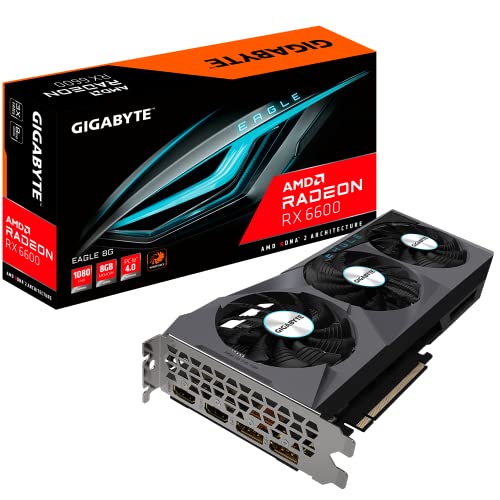
Powered by the efficient AMD RDNA 2 architecture, the GIGABYTE RX 6600 Eagle is a performance powerhouse in the 1080p gaming segment. Its 8GB of GDDR6 memory provides a comfortable buffer for high-resolution textures and modern games, offering a distinct advantage over cards with less VRAM. This GPU delivers high frame rates and smooth gameplay, making it an excellent match for high-refresh-rate monitors.
GIGABYTE’s WINDFORCE 3X cooling system, featuring three alternate-spinning fans, does an impressive job of keeping temperatures in check under load. The robust cooling allows the card to sustain high performance during long gaming sessions. If your priority is exceptional 1080p gaming performance without the premium for ray tracing, the RX 6600 represents one of the best values in its class.
ZOTAC GeForce GTX 1660 Super 6GB GDDR6
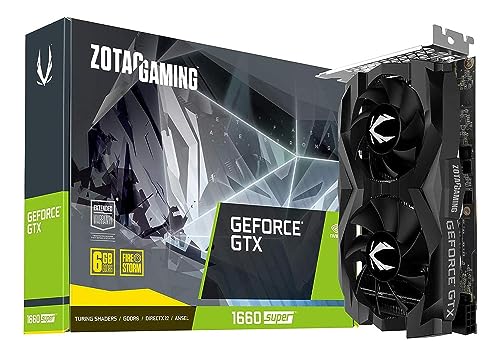
The ZOTAC GTX 1660 Super stands out for its exceptional combination of performance and a compact form factor. Measuring just 6.83 inches, this card is a perfect solution for small form factor (SFF) builds or systems with limited internal space. Despite its size, it doesn’t compromise on power, leveraging the Turing architecture to deliver a solid 1080p gaming experience.
With 6GB of high-speed GDDR6 memory, it provides a significant performance uplift over the standard GTX 1660. This card is a workhorse for esports titles and popular AAA games at 1080p resolution. For gamers building in a mini-ITX case or anyone with a compact chassis, the ZOTAC GTX 1660 Super offers a reliable and space-efficient path to great gaming performance.
GIGABYTE GeForce RTX 3050 Gaming OC 8G
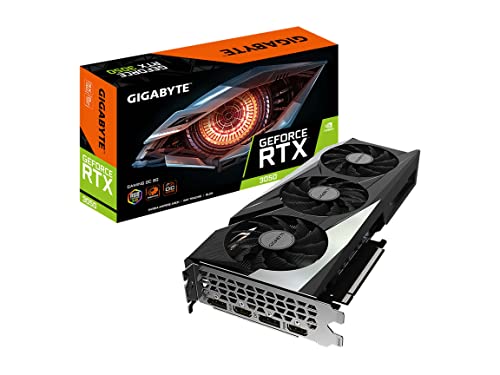
The GIGABYTE RTX 3050 Gaming OC brings the modern Nvidia Ampere architecture to a budget-friendly audience. It features 2nd Generation RT Cores for ray tracing and 3rd Generation Tensor Cores for Nvidia DLSS, a performance-boosting technology that uses AI to upscale images. With 8GB of VRAM, it is well-equipped for current and future games at 1080p.
This model from GIGABYTE uses a triple-fan WINDFORCE cooling solution, which provides superior thermal performance compared to many dual-fan designs. The robust cooling ensures the card can maintain higher boost clocks for longer periods, translating to smoother and more consistent frame rates. For gamers seeking entry into the RTX ecosystem with features like DLSS and a generous VRAM buffer, this card is a strong candidate.
ASUS TUF Gaming NVIDIA GeForce GTX 1660 Ti EVO OC Edition
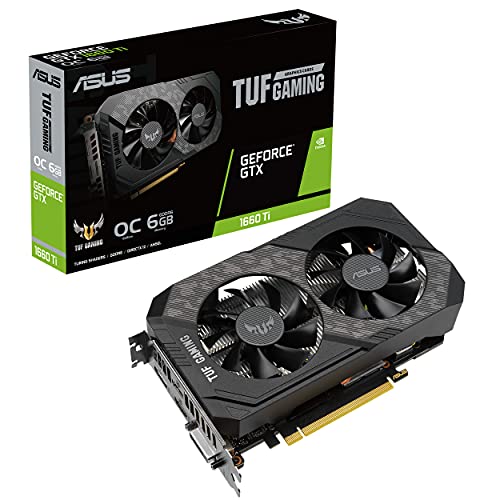
Built for durability and performance, the ASUS TUF Gaming GTX 1660 Ti EVO is a premium take on a classic GPU. The TUF Gaming series is known for its rugged construction and high-quality components, ensuring longevity and stable operation. This card is factory-overclocked, giving you extra performance right out of the box without any manual tweaking required.
It also includes a dedicated hardware encoder that is optimized for Open Broadcaster Software (OBS), making it a suitable choice for gamers who also stream their gameplay. The compact design ensures broad compatibility with most PC cases. If you value build quality and a hassle-free out-of-the-box experience, this GTX 1660 Ti model from ASUS is a reliable and powerful option.
PowerColor AMD Radeon RX 6500 XT ITX Gaming Graphics Card
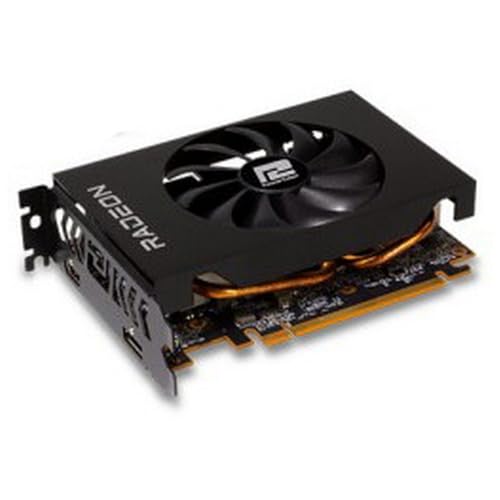
The PowerColor RX 6500 XT ITX is specifically designed for ultra-compact builds. Its small form factor makes it one of the few modern GPUs that can fit into the most space-constrained mini-ITX cases. Despite its size, it is based on the RDNA 2 architecture, providing modern features and efficient performance for 1080p gaming.
With a high game clock of 2610MHz, this card is geared towards delivering smooth frame rates in less demanding and esports titles. It’s an ideal solution for building a living room gaming PC or a portable LAN party rig where physical size is a primary concern. For small form factor enthusiasts, this card fills a crucial niche in the market.
MSI Gaming GeForce GTX 1650 Super 4GB GDRR6

The MSI GTX 1650 Super AERO ITX offers a significant performance increase over the standard GTX 1650, making it a capable budget-oriented GPU. Its single-fan, compact design is perfect for upgrading pre-built systems or building in small cases that cannot accommodate larger dual or triple-fan cards. The 4GB of GDDR6 memory is a key improvement that boosts its performance in modern games.
This card provides a reliable and straightforward upgrade path for systems with lower-wattage power supplies, as it often draws all the power it needs directly from the PCIe slot. For users with strict space or power constraints, the MSI GTX 1650 Super represents a smart balance of size, power efficiency, and gaming capability.
MSI Gaming GeForce GTX 1650 4GB GDRR6

The MSI GTX 1650 Ventus XS is an entry-level champion, known for its excellent power efficiency and compatibility. As one of the most popular budget GPUs, it serves as a perfect solution for replacing outdated graphics cards in older systems or building a new PC with a minimal power supply. It requires no external power connectors in most models, drawing all its power from the PCIe slot.
With 4GB of GDDR6 memory, it handles esports titles and less demanding games at 1080p resolution with ease. The dual-fan cooling solution on the Ventus XS model ensures quiet and cool operation. For a no-fuss, reliable graphics card that works in almost any system, the GTX 1650 continues to be a top choice.
XFX Speedster SWFT210 Radeon RX 6650XT CORE Gaming Graphics Card

The XFX Speedster SWFT210 RX 6650XT sits near the top of the performance spectrum for cards under $400. It offers a notable performance uplift over the RX 6600, making it a fantastic option for high-refresh-rate 1080p gaming and even capable 1440p gaming in many titles. The 8GB of GDDR6 memory is essential for handling higher resolution textures and more detailed game worlds.
XFX’s SWFT 210 dual-fan cooler is designed for both effective heat dissipation and a sleek aesthetic. This card represents one of the best performance-to-value ratios from AMD’s RDNA 2 lineup, providing near-top-tier 1080p performance and a very competent 1440p experience for gamers who want to push their settings higher.
ASUS Dual GeForce RTX 4060 OC Edition 8GB GDDR6
The ASUS Dual RTX 4060 is the most modern card on this list, featuring Nvidia’s efficient Ada Lovelace architecture. It introduces significant advancements like DLSS 3 with Frame Generation, a technology that can dramatically boost frame rates in supported games. This makes it exceptionally future-proof for upcoming titles that will leverage these features.
With 8GB of GDDR6 memory and a focus on power efficiency, the RTX 4060 delivers excellent 1080p performance and is a strong contender for 1440p gaming, especially when DLSS is enabled. The ASUS Dual cooler design provides reliable thermal performance with a minimalist aesthetic that fits any build. For gamers seeking the latest technology and features, the RTX 4060 is a forward-looking investment.
Buying Guide: How to Choose a Gaming Graphics Card Under $400
Finding the right graphics card for your gaming PC can feel like a big task, especially when you’re working with a budget. I always tell my friends that the sub-$400 market is where you find the real sweet spot for price and performance. You don’t have to break the bank to get a fantastic 1080p and even 1440p gaming experience. The key is knowing what to prioritize for your specific needs.
First, let’s talk about VRAM. In 2025, 8GB is pretty much the baseline for a new card, but I strongly recommend aiming for 12GB if you can. Games are using more texture memory than ever, and having that extra VRAM means your card will stay relevant for longer, especially at higher resolutions or with heavy mods. Running out of VRAM is a surefire way to kill your frame rates, so it’s a smart place to invest.
Next up is the eternal debate: NVIDIA vs. AMD. Both have fantastic options in this price range. NVIDIA cards typically excel in features like DLSS (Deep Learning Super Sampling), which is a game-changer for performance. It uses AI to upscale your resolution, giving you higher frame rates without a massive hit to visual quality. AMD counters with FSR (FidelityFX Super Resolution), which is an open standard that works on almost any card, including NVIDIA’s. AMD often offers more raw VRAM for your money. My advice? Look at the specific games you play and see which technology they support best.
You also need to think about your power supply (PSU). A more powerful card needs more watts and the right power connectors. There’s nothing worse than getting a new GPU home only to find your old PSU can’t handle it. Always check the recommended wattage for the card and make sure your power supply has the necessary 6-pin or 8-pin PCIe power cables. A card that sips less power is also great for keeping your electricity bill and room temperature down.
Finally, consider the physical size of the card and your case’s airflow. Some of these modern GPUs are massive triple-slot beasts. Grab a tape measure and make sure it will actually fit in your case! Good airflow is crucial too; you want a case with decent fans to keep that new investment cool under load during long gaming sessions. By focusing on VRAM, brand features, power requirements, and physical fit, you’ll be well on your way to picking one of the best gaming graphics cards under $400 in 2025.
FAQ
Is an NVIDIA or AMD card better for under $400?
It really depends on what you value most. In this price bracket, AMD often gives you more raw horsepower and VRAM for your dollar, which is great for future-proofing. NVIDIA counters with its superior ray tracing performance and DLSS technology, which can significantly boost frame rates in supported games. I suggest looking at benchmarks for the specific games you play to see which brand comes out ahead.
Can I game at 1440p with a $400 graphics card?
Absolutely. The current generation of cards in the $300-$400 range is excellent for 1440p gaming. You might not be able to max out every single setting in the most demanding titles while maintaining a super high frame rate, but with smart use of upscaling technologies like DLSS or FSR, you can absolutely enjoy a smooth and beautiful 1440p gaming experience. It’s a fantastic resolution target for this budget.
How important is VRAM in 2025?
It’s more important than ever. While 8GB is still serviceable for 1080p, I consider 12GB to be the new sweet spot. Modern games, especially those with high-resolution texture packs, can easily use more than 8GB of VRAM at 1440p. If you run out, the game will stutter as it tries to use your system RAM, which is much slower. Investing in a card with more VRAM now will help your system stay capable for years to come.
Do I need to upgrade my power supply for a new GPU?
You might. This is a critical step that many people overlook. Before you buy any new graphics card, check its thermal design power (TDP) and the manufacturer’s recommended PSU wattage. Compare that to your current power supply’s capacity and available PCIe power connectors. It’s always better to have a little extra headroom. A weak or old PSU can cause system instability and could even damage your new components.
What should I do with my old graphics card?
You have a few good options. If it’s still working, the most common thing to do is sell it on the secondhand market to recoup some of your upgrade cost. You could also repurpose it into a older system for a family member or as a dedicated media PC. Some people even keep them as a tested backup in case their new card has an issue. Just make sure to properly uninstall the old drivers before swapping cards.