For PC enthusiasts and performance seekers, overclocking remains a cornerstone of the hobby, offering a path to extract every last drop of performance from your hardware. Pushing a CPU beyond its stock specifications can lead to significant gains in gaming frame rates, content creation speeds, and overall system responsiveness. However, not all processors are created equal for this task; the best overclocking CPUs feature unlocked multipliers, robust power delivery, and thermal headroom to handle the increased voltage and clock speeds.
Choosing the right silicon is the first critical step on this journey. This roundup examines ten standout processors from both Intel and AMD that have proven their mettle in the overclocking arena. From legacy champions that defined their generations to the latest architectural marvels, these CPUs represent the pinnacle of user-tunable performance for 2025, giving you the tools to build a truly custom and high-performance machine.
The Best Overclocking CPUs for Peak Performance
- Intel Core i9-12900K Gaming Desktop Processor
- Intel Core i9-10900K Desktop Processor 10 Cores
- Intel Core i9-9900K Desktop Processor 8 Cores
- Intel Core i7-8700K Desktop Processor 6 Cores
- AMD Ryzen 9 7950X 16-Core Unlocked Desktop Processor
- AMD Ryzen 9 5950X 16-core Unlocked Desktop Processor
- AMD Ryzen 5 3600 6-Core Unlocked Desktop Processor
- AMD Ryzen 7 2700X Processor with Wraith Prism Cooler
- AMD Ryzen Threadripper 2950X Processor
- AMD Ryzen 9 7950X3D 16-Core Desktop Processor
Intel Core i9-12900K Gaming Desktop Processor

The Intel Core i9-12900K introduced the performance hybrid architecture to the desktop market, combining Performance-cores and Efficient-cores for a unique overclocking experience. This 16-core processor is built for enthusiasts who want to game and multitask without compromise, offering an unlocked multiplier for fine-tuning both P-cores and E-cores. Its out-of-the-box boost clock of up to 5.2 GHz provides a strong foundation for pushing frequencies even higher.
Compatibility with both Intel 600 and 700 series motherboards gives builders a wide range of platforms to choose from, many equipped with robust VRMs necessary for stable overclocks. The integrated Intel UHD 770 Graphics is a useful fallback. Achieving a high overclock requires a potent cooling solution, but the silicon’s headroom makes the effort worthwhile for maximum frame rates and application performance.
Intel Core i9-10900K Desktop Processor

The Intel Core i9-10900K was a legend of the LGA1200 era, famously pushing core counts and clock speeds to new heights for its time. With 10 cores and 20 threads, this processor was designed for high-frequency overclocking, featuring a stock turbo frequency of up to 5.3 GHz right out of the box. Its unlocked multiplier allows enthusiasts to pursue even greater clock speeds across all cores.
While it requires a capable Z490 or Z590 motherboard and strong cooling to manage the thermal output under load, the overclocking potential is significant. For users on the Intel 400 series platform, the i9-10900K remains a compelling option for building a high-performance system that can compete with newer hardware when properly tuned.
Intel Core i9-9900K Desktop Processor
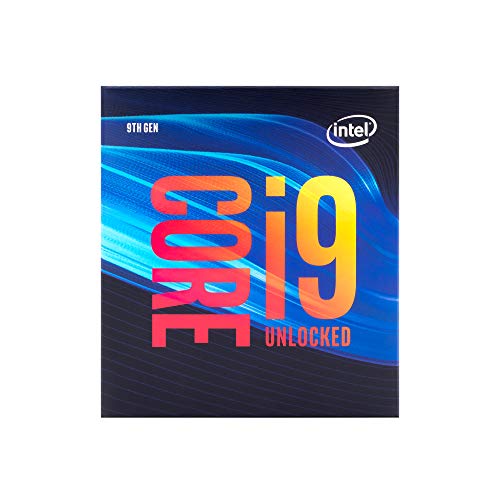
As a flagship of its generation, the Intel Core i9-9900K brought 8 cores and 16 threads to the mainstream LGA1151 socket, with a strong focus on high clock speeds. This processor is unlocked, allowing users to push beyond its maximum stock frequency of 5.0 GHz. Its reputation for solid overclocking results makes it a notable part of CPU overclocking history.
Compatible with Intel 300 series chipset motherboards, the i9-9900K benefits from mature BIOS versions that offer extensive tuning options. While its power consumption can increase substantially when overclocked, the performance gains in both gaming and applications are tangible, securing its place as a classic overclocking contender.
Intel Core i7-8700K Desktop Processor

The Intel Core i7-8700K was a highly popular choice for overclockers during its prime, offering 6 cores and 12 threads with a turbo frequency of up to 4.7 GHz. Its unlocked multiplier provides ample room for manual tuning, often allowing for stable all-core overclocks that surpass its single-core turbo speed. This made it a cost-effective path to high performance.
This processor includes Intel UHD Graphics 630 and is compatible with motherboards based on the Intel 300 series chipsets. While it may not have the core count of modern CPUs, its overclocking potential and strong single-threaded performance keep it relevant for specific upgrade paths and budget-oriented high-performance builds.
AMD Ryzen 9 7950X 16-Core Unlocked Desktop Processor

At the forefront of the AMD Zen 4 architecture, the Ryzen 9 7950X is a 16-core powerhouse built on a 5nm process. This advanced manufacturing technology provides excellent efficiency and significant overclocking headroom. With 32 threads at your disposal, this processor is designed for users who demand top-tier performance in both heavily-threaded workloads and high-frequency gaming.
Being fully unlocked, the 7950X responds well to both precision boost overdrive (PBO) tuning and manual overclocking. It consumes less power than previous generations at stock settings, but when overclocked, it can achieve remarkable performance levels. A high-end cooling solution is mandatory to realize its full potential, making it a prime candidate for custom water loops.
AMD Ryzen 9 5950X 16-core Unlocked Desktop Processor

The AMD Ryzen 9 5950X represents the pinnacle of the Zen 3 architecture, combining 16 cores and 32 threads with exceptional single-threaded performance. It is renowned for its ability to deliver elite 100+ FPS performance in games while also handling demanding creative applications. As an unlocked processor, it gives enthusiasts full control over clock speeds and voltages.
It’s important to note that a cooler is not included with this CPU; a high-quality liquid cooler is strongly recommended, especially for overclocking. The 5950X benefits greatly from PBO and manual tuning, allowing users to extract more performance from what was already the fastest gaming processor of its generation.
AMD Ryzen 5 3600 6-Core Unlocked Desktop Processor
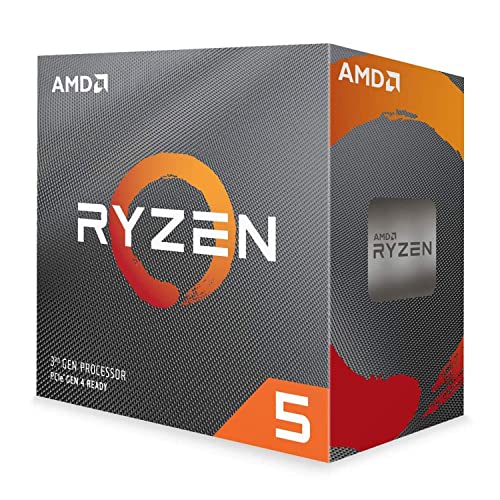
The AMD Ryzen 5 3600 is often celebrated as one of the best value overclocking CPUs ever released. This 6-core, 12-thread processor brought advanced 7nm process technology to the mainstream market. It comes bundled with the Wraith Stealth cooler, making it an accessible entry point for newcomers to overclocking.
While it may not have the core count of its bigger siblings, the Ryzen 5 3600 has a reputation for offering solid overclocking headroom, allowing users to push all cores to a higher, stable frequency. Its maximum rated temperature is 95°C, so even with the included cooler, there is some room for experimentation, though an aftermarket cooler is advised for more ambitious overclocks.
AMD Ryzen 7 2700X Processor with Wraith Prism Cooler
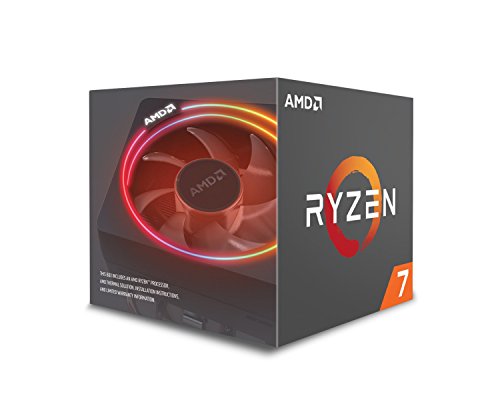
The AMD Ryzen 7 2700X is a second-generation Ryzen processor that comes with the capable Wraith Prism LED cooler, which features RGB lighting. This combination provides a strong foundation for users looking to start overclocking without an immediate need for an aftermarket cooling solution. It supports DDR4 memory, which is a key component in achieving a balanced and high-performance system.
This 8-core, 16-thread CPU offers good multi-threaded performance and responds well to tuning. The included cooler provides adequate thermal performance for moderate overclocks, making the 2700X an excellent all-in-one package for builders who want to experiment with performance tuning on a budget.
AMD Ryzen Threadripper 2950X Processor

The AMD Ryzen Threadripper 2950X sits in the high-end desktop (HEDT) segment, offering a massive 16 cores and 32 processing threads on the TR4 platform. Updated with 2nd Gen Ryzen technology, it features a substantial 40MB of combined cache and a max boost frequency of up to 4.4 GHz. This processor is unlocked and includes the Precision Boost Overdrive (PBO) feature for automatic performance enhancement.
Overclocking a Threadripper is a different experience from mainstream CPUs, often focusing on achieving stable all-core overclocks that can significantly accelerate professional workloads. The platform supports quad-channel memory, providing immense bandwidth that benefits from careful tuning alongside the CPU overclock.
AMD Ryzen 9 7950X3D 16-Core Desktop Processor
The AMD Ryzen 9 7950X3D is a specialized processor that combines the powerful 16-core Zen 4 architecture with AMD’s groundbreaking 3D V-Cache technology. This unique design stacks a large L3 cache directly on top of one of the CPU’s core complexes, dramatically reducing latency for cache-sensitive tasks like gaming. With 32 threads, it offers immense multi-threaded performance as well.
Overclocking the 7950X3D involves considerations for the two different core complexes—one with the extra cache and one without. While manual overclocking is fully supported, the processor’s advanced PBO and curve optimizer features often provide the most efficient method for maximizing performance. This CPU represents a peak in gaming-oriented performance with substantial overclocking potential for enthusiasts.
Buying Guide: How to Choose the Best CPU for Overclocking in 2025
When I look for a CPU to push beyond its factory settings, my first stop is the architecture. In 2025, the playing field is dominated by refined processes from Intel and AMD, but not every chip is created equal. The golden rule is to find a CPU with an unlocked multiplier. For Intel, this means any chip with a “K” or “KF” suffix, like the Core i9-14900K. For AMD, it’s all the “X” and non-X Ryzen processors, especially the X3D models for gaming, though their voltage headroom can be more specific. You can’t overclock a locked CPU, so this is the non-negotiable starting point.
Next, I think about the silicon lottery and core configuration. High core count CPUs are fantastic for productivity, but when I’m aiming for the highest possible clock speeds, sometimes a chip with fewer cores has more thermal and power headroom. A Core i7 might often hit higher stable frequencies than a top-tier i9 from the same generation because there’s simply less silicon to power and cool. It’s a trade-off between peak multi-threaded performance and maximum single-core speed. Remember, every chip is different; two identical model CPUs will not overclock exactly the same.
Thermal design power (TDP) is a spec I never ignore. The listed TDP is a lie under overclocking. When you increase voltage and frequency, power consumption and heat output skyrocket. A CPU with a 125W base TDP can easily pull over 300W when overclocked. This dictates my entire cooling strategy. I would never pair a high-end overclocking CPU with a budget air cooler. A high-end air cooler or a 280mm/360mm AIO liquid cooler is practically mandatory to handle the heat and prevent thermal throttling, which completely defeats the purpose of overclocking.
Finally, my choice is never just about the CPU itself. The motherboard is the foundation. I look for a model with a robust VRM (Voltage Regulator Module). A weak VRM will overheat and throttle the CPU’s power delivery, limiting my overclock no matter how good my cooler is. For a flagship chip, I aim for a motherboard in the Z790 (Intel) or X670E (AMD) chipset range with a strong, heatsinked VRM. Pairing a powerful CPU with a cheap motherboard is one of the biggest mistakes I see. My advice is to balance your budget between a good CPU and a motherboard that can actually support it. Choosing from the 10 best CPUs for overclocking in 2025 is only half the battle; giving it a proper home is the other.
FAQ
Is overclocking still worth it for gaming in 2025?
In my experience, the answer is a bit nuanced. For competitive esports titles that are heavily dependent on single-core CPU performance, a successful overclock can still provide a noticeable boost to your minimum frame rates, making gameplay feel smoother. However, for most modern, graphically intensive games that are more dependent on the GPU, the gains from a CPU overclock are often smaller, maybe 5-10%. It’s a fun way to squeeze out extra performance, but it’s not the game-changing upgrade it once was. The money might be better spent on a faster graphics card for a more significant impact.
What is the most important piece of hardware for overclocking besides the CPU?
Hands down, it’s the CPU cooler. When you overclock, you are directly increasing the power going through the chip, which creates a massive amount of heat. A stock cooler or a basic budget air cooler will be completely overwhelmed. To achieve a stable and meaningful overclock, you need a high-performance cooling solution. I consider a large twin-tower air cooler or a 240mm/360mm All-in-One (AIO) liquid cooler to be the minimum for serious overclocking. Without sufficient cooling, your CPU will thermally throttle, undoing all your work and potentially damaging the hardware over time.
Does overclocking void my CPU’s warranty?
Officially, yes, overclocking does void the warranty provided by both Intel and AMD. They consider it operating the product outside of its specified parameters. However, in practice, it can be very difficult for a manufacturer to prove that a CPU was damaged directly by overclocking and not by a pre-existing defect or a power surge, unless there are obvious physical signs of damage like burnt pins from excessive voltage. That said, you are taking a risk. If you push too much voltage through the chip and it fails, you will likely be responsible for replacing it.
How do I know if my overclock is stable?
Getting your system to boot into Windows is just the first step. True stability testing is a process. I use stress-testing software like Prime95, AIDA64, or Cinebench R23 to put a maximum load on the CPU for an extended period, typically at least an hour. If the system doesn’t crash, blue screen, or produce computational errors during this test, your overclock is likely stable for most tasks. I also test real-world stability by playing demanding games for a few hours, as some instability only shows up under specific, fluctuating loads. Stability is key; a fast overclock that crashes is useless.
What’s a safe voltage for overclocking my CPU?
There is no single “safe” voltage that applies to all CPUs, as it depends heavily on the architecture and manufacturing process. For modern Intel CPUs, I am generally cautious about going beyond 1.35V for daily use, while for AMD Ryzen 7000/8000 series, I tend to stay under 1.3V. The best approach is to do some research on your specific CPU model. Look for community guidelines on forums and reddit to see what voltages other people are using safely. The golden rule is to use the absolute minimum voltage required for your target clock speed to ensure the long-term health of your processor. Picking one of the 10 best CPUs for overclocking in 2025 gives you a great starting point, but safe practices keep it running for years.