Selecting the right graphics card is the most critical hardware decision for any 3D artist, designer, or engineer. The correct GPU dramatically accelerates rendering times, provides smoother viewport performance in complex scenes, and enables advanced features like real-time ray tracing and AI-accelerated denoising. With options ranging from budget-friendly workhorses to professional behemoths, finding the perfect balance of performance, memory, and reliability for your specific workflow is essential.
This roundup for 2025 examines the best graphics cards for 3D rendering and modeling across all budgets and use cases. We have evaluated consumer-grade GeForce and Radeon cards alongside professional-grade NVIDIA RTX Ada and AMD PRO series models. Whether you are a student starting out, a freelance professional handling demanding projects, or part of a large studio, our selection will help you identify the ideal card to power your creativity and maximize productivity.
Our Recommended Graphics Cards for 3D Work
- EVGA GeForce RTX 3090 FTW3 Ultra Gaming, 24GB GDDR6X
- AMD Radeon PRO W5500 8GB
- PNY NVIDIA RTX A4000
- Geforce RTX 3080 Ti 12GB GDDR6X Graphics Card
- GIGABYTE GeForce RTX 3070 Ti Gaming OC 8G Graphics Card
- GIGABYTE GeForce RTX 3060 Ti Vision OC 8G Graphics Card
- GIGABYTE GeForce RTX 3050 Eagle OC 8G Graphics Card
- EVGA GeForce RTX 2060 12GB XC Gaming, GDDR6
- PNY RTX 4000 Ada Generation 20GB DDR6 Quadro Graphics Card
- NVIDIA GeForce RTX 4090 24GB GDDR6X Graphics Card
EVGA GeForce RTX 3090 FTW3 Ultra Gaming, 24GB GDDR6X
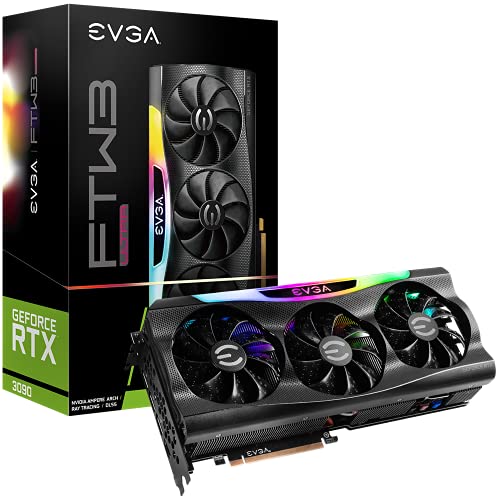
The EVGA RTX 3090 remains a formidable choice for 3D professionals who require immense VRAM. Its 24GB of GDDR6X memory is ideal for handling extremely high-polygon models, complex simulations, and massive texture sets without needing to swap data to slower system RAM. This capability makes it a workhorse for film-quality rendering and architectural visualization.
With a real boost clock of 1800 MHz and advanced iCX3 cooling technology, it sustains high performance during long rendering sessions. The inclusion of real-time ray tracing cores ensures that your previews are hyper-realistic, providing accurate lighting and material feedback as you work. For users whose projects consistently push memory limits, this card offers a significant advantage.
AMD Radeon PRO W5500 8GB

The AMD Radeon PRO W5500 is a solid entry-level professional card designed for CAD and modeling workflows. It provides certified drivers for major 3D applications, ensuring stability and reliability that is crucial for professional environments. This card is an excellent starting point for engineers and designers focused on modeling and viewport performance rather than GPU rendering.
With 8GB of GDDR6 memory, it handles moderate scene complexity with ease. The Radeon PRO software suite offers additional tools for professionals, making it a dependable component in a business setting. For those building a workstation on a budget who require professional-grade certification and support, the W5500 presents a compelling option.
PNY NVIDIA RTX A4000
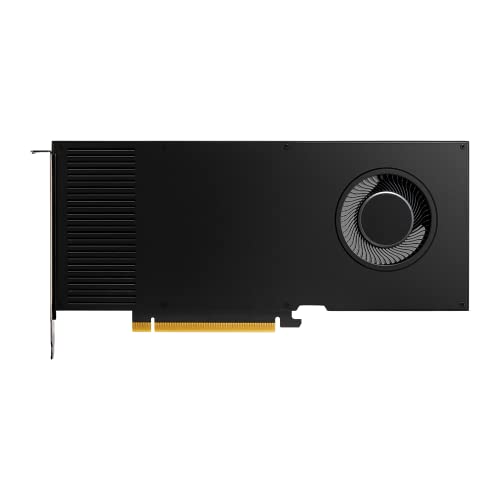
The PNY NVIDIA RTX A4000 strikes an impressive balance between professional features and consumer-level performance. As a single-slot workstation card, it fits into compact cases and is equipped with 16GB of GDDR6 memory with ECC (Error Correction Code), which is vital for mission-critical renders where data integrity cannot be compromised.
Featuring 6144 CUDA Cores and 48 second-generation RT Cores, it delivers 19.2 TFLOPS of compute performance for demanding rendering tasks. Its blower-style cooler efficiently exhausts heat directly out of the case, making it ideal for multi-GPU configurations in a shared workstation. For professionals needing certified drivers, ECC memory, and robust performance in a single-slot design, the RTX A4000 is a top contender.
Geforce RTX 3080 Ti 12GB GDDR6X Graphics Card

The GeForce RTX 3080 Ti is a performance powerhouse that brings rendering speeds very close to the RTX 3090 at a typically lower cost. Its 12GB of high-speed GDDR6X memory is sufficient for the vast majority of 3D projects, from character animation to product design. This card is for the artist who needs maximum rendering performance without the premium for the 3090’s extra VRAM.
Based on the Ampere architecture, it features 2nd generation RT Cores and 3rd generation Tensor Cores, which accelerate ray tracing and AI-driven features like NVIDIA’s OptiX denoiser. This results in significantly faster iterative cycles, allowing you to refine your work more quickly. It represents the sweet spot for high-end GPU rendering performance.
GIGABYTE GeForce RTX 3070 Ti Gaming OC 8G

The GIGABYTE RTX 3070 Ti Gaming OC offers excellent performance for its class, making it a strong mid-range option for 3D work. The 8GB of GDDR6X memory provides good bandwidth for handling complex shaders and textures. Its WINDFORCE 3X cooling system ensures that the card maintains high clock speeds during sustained rendering loads, which translates to more consistent performance.
Equipped with NVIDIA Ampere Streaming Multiprocessors, this card efficiently handles the parallel processing demands of rendering engines like Cycles, V-Ray, and Arnold. It’s a fantastic choice for freelance artists and advanced hobbyists who need reliable and fast performance for commercial projects without investing in the top-tier models.
GIGABYTE GeForce RTX 3060 Ti Vision OC 8G

For those building a clean, white-themed workstation, the GIGABYTE RTX 3060 Ti Vision OC is both an aesthetic and performance-minded choice. It delivers remarkable rendering performance that often rivals last-generation flagship cards, providing outstanding value. The 8GB of GDDR6 memory is well-suited for most modeling and rendering tasks at 1080p and 1440p resolutions.
Like its higher-tier siblings, it includes 2nd generation RT Cores and 3rd generation Tensor Cores, enabling real-time ray tracing and AI acceleration. This card is an ideal entry point into serious 3D content creation for students and professionals starting their careers, offering a balance of cost and capability that is hard to beat.
GIGABYTE GeForce RTX 3050 Eagle OC 8G
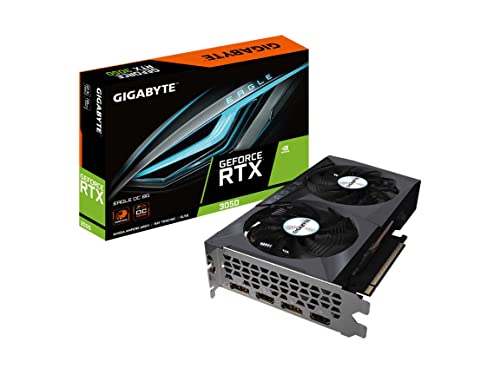
The GIGABYTE RTX 3050 Eagle OC is the most accessible entry point into the world of hardware-accelerated ray tracing for 3D artists on a tight budget. With 8GB of GDDR6 memory, it provides a sufficient buffer for learning and working on smaller to medium-complexity projects. Its dual-fan cooling solution keeps the card quiet and cool during light rendering tasks.
While not suited for heavy production rendering, it significantly outperforms integrated graphics and older GPUs, making it a substantial upgrade for beginners. It allows students and hobbyists to learn the intricacies of modern rendering pipelines, including RTX-accelerated features, without a major financial commitment.
EVGA GeForce RTX 2060 12GB XC Gaming
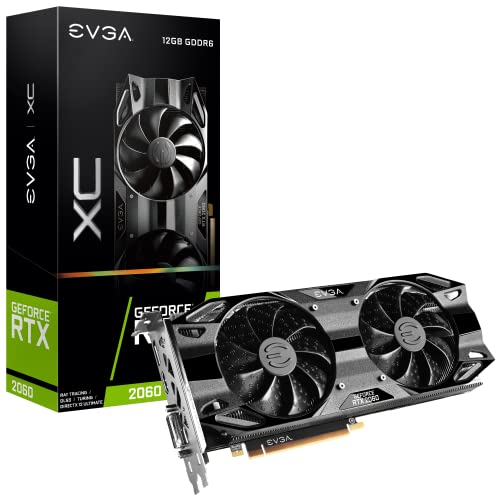
The EVGA RTX 2060 12GB model is a unique offering that prioritizes VRAM capacity at an entry-level price. The generous 12GB of memory is its key advantage, allowing it to handle scenes that would cause other budget cards with less VRAM to fail. This makes it a practical choice for users who work with large, but not overly complex, datasets.
It features a real boost clock of 1680 MHz and includes first-generation RT Cores for basic ray tracing acceleration. For 3D modelers and animators who are primarily memory-bound rather than compute-bound in their workflows, this card provides a specific and valuable solution that can extend the life of a budget-conscious workstation.
PNY RTX 4000 Ada Generation 20GB DDR6 Quadro

The PNY RTX 4000 Ada Generation represents the cutting edge of professional graphics technology. Built on the NVIDIA Ada Lovelace architecture, it features 6,144 CUDA cores, 48 RT Cores, and 192 fourth-generation Tensor Cores. This hardware delivers exceptional performance for parallel computing, ray tracing, and AI tasks, with a compute performance of up to 26.7 TFLOPS.
A standout feature is its 20GB of GDDR6 memory with ECC protection, ensuring data accuracy for scientific simulations and precision rendering. With a high bandwidth of 360 GB/s and a single-slot design, it is engineered for professionals in engineering, architecture, and visual effects who require the latest technology, certified drivers, and uncompromising reliability in a compact form factor.
NVIDIA GeForce RTX 4090 24GB GDDR6X Graphics Card
The NVIDIA GeForce RTX 4090 is the undisputed performance king for 3D rendering and modeling. Its 24GB of GDDR6X memory, combined with a massive generational leap in core architecture, provides the fastest rendering times available on a single consumer GPU. For professionals where time is money, the 4090 can cut down iteration times from hours to minutes compared to previous generations.
It is built for handling the most demanding scenes with billions of polygons and complex lighting setups with ease. The advanced streaming multiprocessors and next-generation RT and Tensor Cores make real-time ray tracing and path tracing a practical reality for interactive look development. If your primary goal is to maximize rendering throughput and viewport performance for the most challenging projects, the RTX 4090 is the ultimate tool.
Buying Guide: How to Pick the Right Graphics Card for 3D Rendering & Modeling in 2025
Choosing the right graphics card for your 3D work can feel like a big decision, and I get it. You’re balancing performance, budget, and the specific needs of your software. The first thing I always check is whether my primary applications are optimized for CUDA (NVIDIA’s technology) or if they run well on OpenCL. For most professional 3D rendering and modeling tasks in 2025, especially with real-time viewport performance and AI-accelerated features, NVIDIA still holds a strong lead thanks to its mature CUDA ecosystem and dedicated RT and Tensor cores. However, AMD offers fantastic value for pure rasterization and viewport modeling in some applications.
Next, you need to think about VRAM. This is arguably as important as raw processing speed. When you’re working with complex scenes, high-resolution textures, and multiple layers, your graphics card’s memory gets used up quickly. Running out of VRAM can bring your workflow to a complete stop. For moderate scenes, 12GB is a good starting point in 2025, but for serious work with detailed models and large textures, I would aim for 16GB or even 24GB if your budget allows. Future-proofing your system with more VRAM is a smart move.
Then there’s the question of architecture. For rendering, look at the performance of the RT cores for ray tracing and the Tensor cores for AI denoising, which is a feature in renderers like V-Ray and Blender Cycles. These specialized cores can cut your render times significantly compared to using just the main CUDA cores. For viewport modeling, the traditional shader cores and clock speeds are the main factors for a smooth, lag-free experience. Finally, don’t forget about your power supply. High-end cards are power-hungry, so make sure your PSU can handle the load and that your PC case has enough physical space and airflow. Picking from the 10 best graphics cards for 3D rendering & modeling in 2025 is easier when you know your software’s requirements and your project’s scope.
FAQ
Is NVIDIA or AMD better for 3D rendering in 2025?
For most professional 3D rendering scenarios, I still lean towards NVIDIA. The reason is software integration. Many major rendering engines, like V-Ray, Octane, and Redshift, are heavily optimized for NVIDIA’s CUDA and RTX platforms. Their dedicated RT and Tensor cores also provide a tangible boost in ray tracing and AI denoising tasks. AMD cards are powerful and can be excellent for viewport performance and some rendering, but the ecosystem and driver support for professional features often give NVIDIA the edge.
How much VRAM do I really need for 3D modeling?
This depends entirely on your project complexity. If you’re a student or working on smaller projects, 8GB to 12GB might be sufficient. However, for professional work, I consider 12GB the absolute minimum in 2025. For handling complex scenes, high-poly sculpts, and 4K+ textures without constant optimization, 16GB or more is the sweet spot. If you work in simulation or extremely high-detail film/VFX work, 24GB cards are worth the investment to avoid bottlenecks.
Can I use a gaming graphics card for professional 3D work?
Absolutely. The line between gaming and professional cards has blurred significantly. A GeForce RTX card (gaming) uses the same core architecture as a Quadro/RTX A-series card (professional). The main differences are in drivers, certified stability for specific software, VRAM quantity, and sometimes double-precision performance. For most individual artists and small studios, a high-end gaming card offers phenomenal performance for the price and is a core component of any list of the 10 best graphics cards for 3D rendering & modeling in 2025.
Do I need two graphics cards for rendering and modeling?
This is a common question, but it’s rarely necessary anymore. Modern single graphics cards are so powerful that they can handle both viewport tasks and rendering with ease. Running two cards for a multi-GPU setup used to be popular for cutting render times, but many modern rendering engines have moved away from robust multi-GPU support. You’re often better off investing in a single, more powerful card rather than two mid-range ones, as it simplifies your system and power requirements.
How important are clock speeds compared to the number of cores?
Both matter, but they serve different purposes. For viewport modeling and general navigation, higher clock speeds can contribute to a snappier feel. However, for the actual rendering process, which is a massively parallel task, the number of cores is far more important. A card with a lower clock speed but a higher core count will almost always outperform a card with a high clock speed but fewer cores when it’s time to render your final image or animation.